PrecAlgoRANGE

iOS 17.0+ · Android 8.0+

The data book for precision shooting

Record your groups, DOPE and equipment.

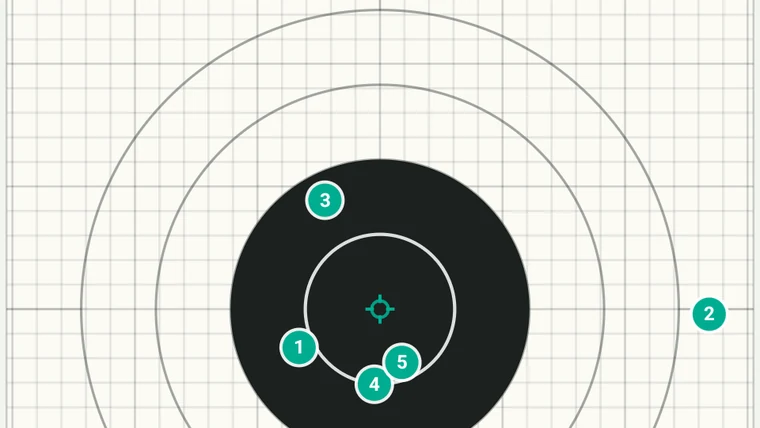
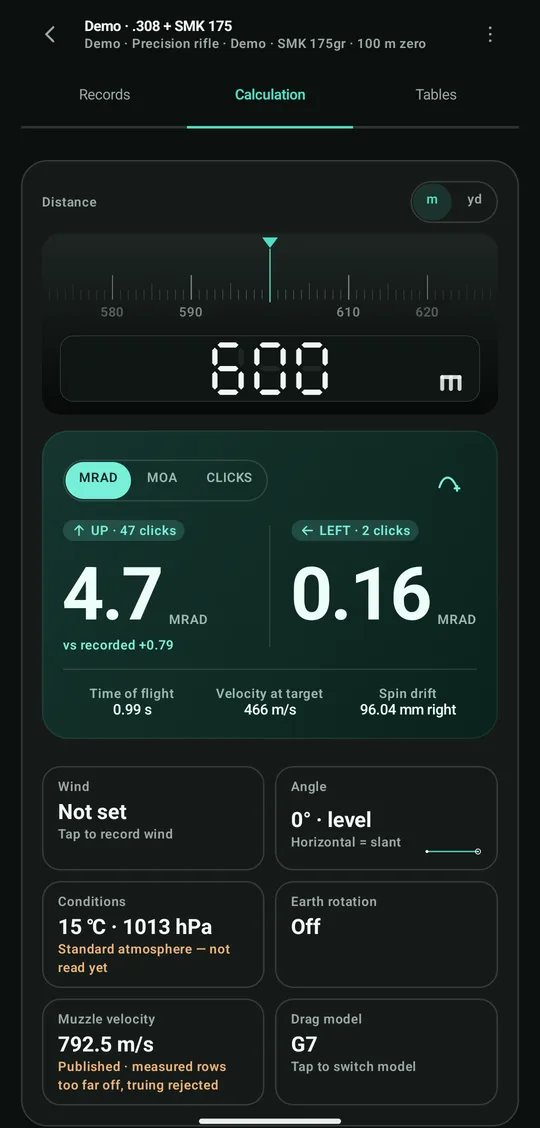
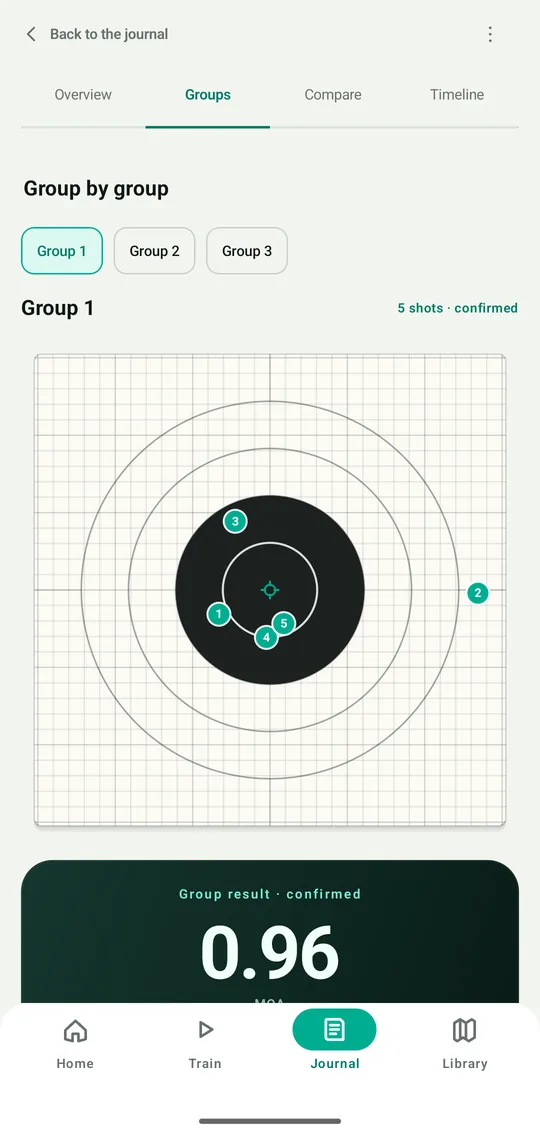
Group result screen: five numbered shot holes on the target and a 0.96 MOA group
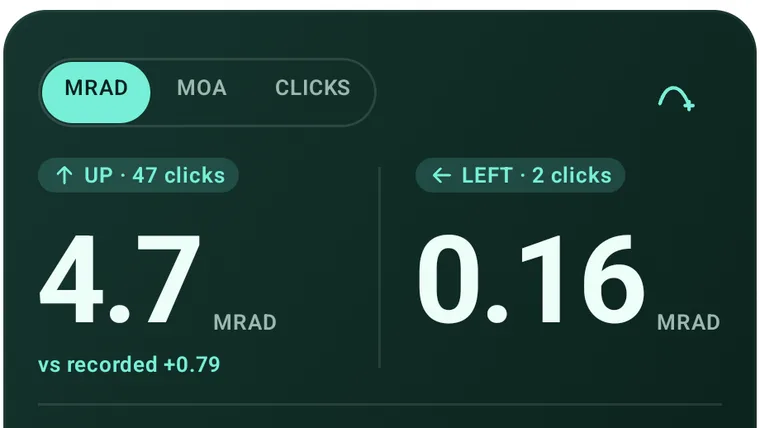
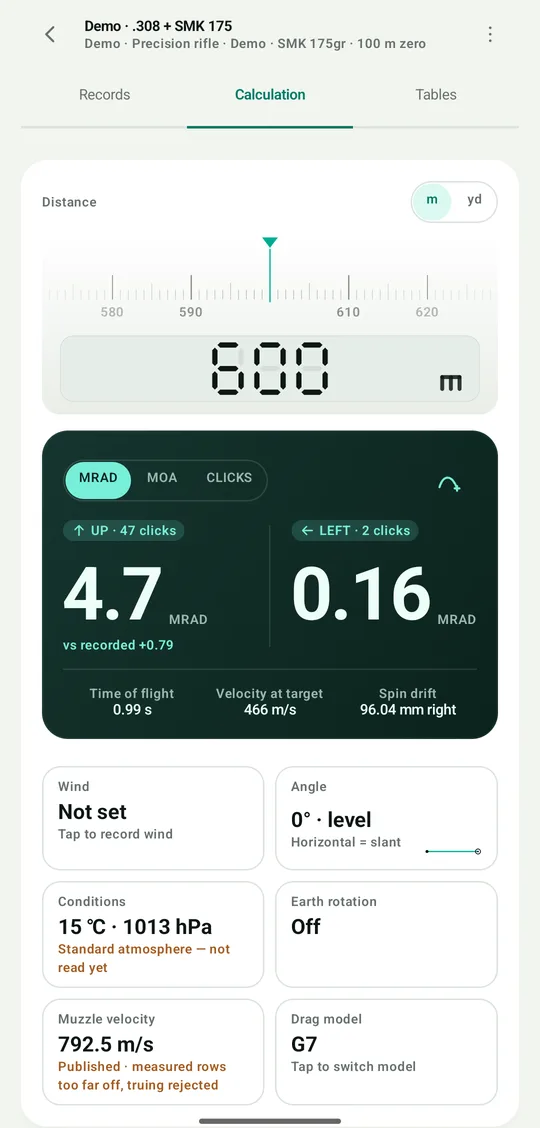
DOPE solver screen: 600 m solves to UP 4.7 MRAD, LEFT 0.16 MRAD
01 / 03

Features

Feature · 5 entries

All readings below come from one demo data set: .308 Win, SMK 175 gr, 100 m zero, solved at 600 m.

01

Shot-hole detection and per-shot review

Detection

Photograph the target and the app proposes candidate holes; the shooter confirms, rejects or corrects each one, and the group counts only once the review is complete. Low-confidence points are flagged separately for human judgement.

Group ES
22.33 mm / 0.77 MOA
Mean radius
8.10 mm / 0.28 MOA
Length and angle
mm · in / MRAD · true MOA
Evidence
Target photo · kept on device
Shot-count check
Blocks confirmation until it passes
Numbered shot holes on a paper target
Fig. 01 — Group 1 · 5 shots · confirmed
02

DOPE cards and ballistic solving

Solver

One card covers one rifle, one load and one zero. Change any of the three and a new card is created, so the conditions a card applies to are never in doubt.

Drag model
G1 / G7
Muzzle velocity
Back-calculated from live-fire records
600 m solution
UP 47 clicks / 4.7 MRAD
Toggled separately
Spin drift · Coriolis · incline
Transonic range
Marked separately
DOPE solution readout: UP 47 clicks / 4.7 MRAD
Fig. 02 — 600 m · standard atmosphere
03

Guided zeroing

Zeroing

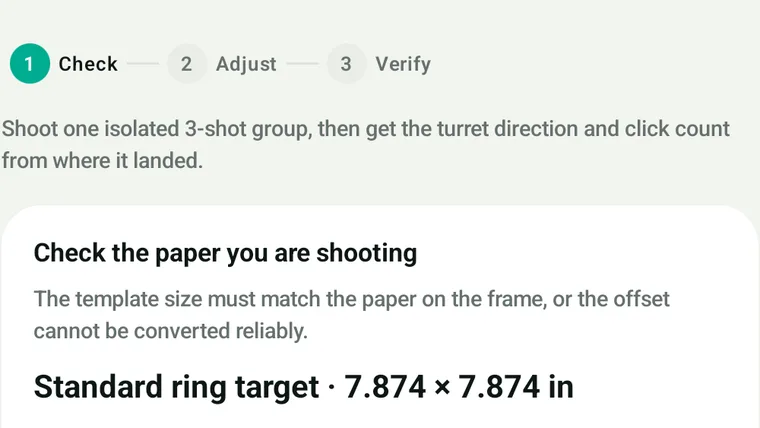
Zeroing runs in three steps: check, adjust, verify. The flow will not start while scope parameters are missing, the target size is unconfirmed, or an unfinished group is open.

Measurement group
Three dedicated shots · practice groups excluded
Output
Turret direction as marked · click count · rounding remainder
Verification
Fire a separate confirmation group
Pass tolerance
± 1 click
The three steps of guided zeroing
Fig. 03 — check · adjust · verify
04

Training journal and trends

Journal

Groups shot under the same conditions are compared side by side, separating real change from ordinary spread. No trend is reported while the sample is too small.

Views
By session · by group · by timeline
Comparison
Same-condition groups · ordinary spread marked
Field notes
Saved with the group
Result card
Exportable as an image · equipment details optional
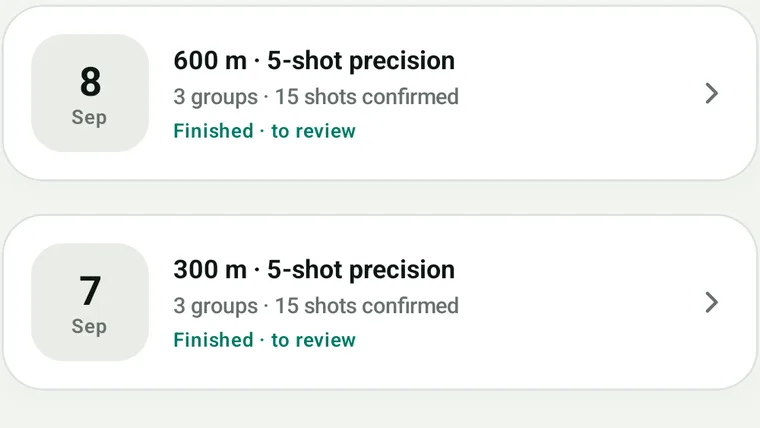
Training journal overview: group count and confirmed shots
Fig. 04 — 3 groups · 15 shots confirmed
05

Equipment library and factory specifications

Library

Rifles, scopes, ammunition, targets and training plans are each recorded separately. Every group freezes a snapshot of the equipment used, so later edits never alter past records.

Built-in catalogue
Factory rifles · factory ammunition
Ready to reference
Twist rate · barrel length · BC · muzzle velocity
Scope
Adjustment per click · turret direction as marked
Beyond the catalogue
Entries can be created by hand
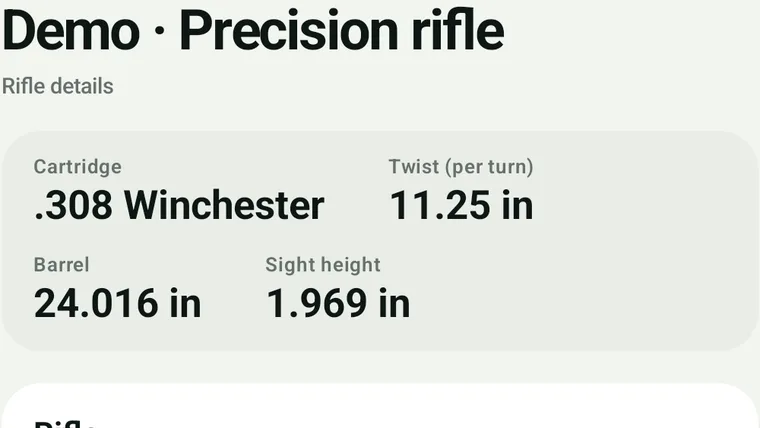
Equipment set detail: calibre, twist rate, barrel length and scope height
Fig. 05 — .308 Win · twist 11.25 in
02 / 03

Several colour schemes for different settings

Display

Sorting data indoors, a sunlit range and a night firing point each ask something different of the screen. The display mode is chosen by the shooter.

Light ground, dark type, the densest of the three. Suited to sorting data indoors and looking up ammunition and factory rifle specifications.

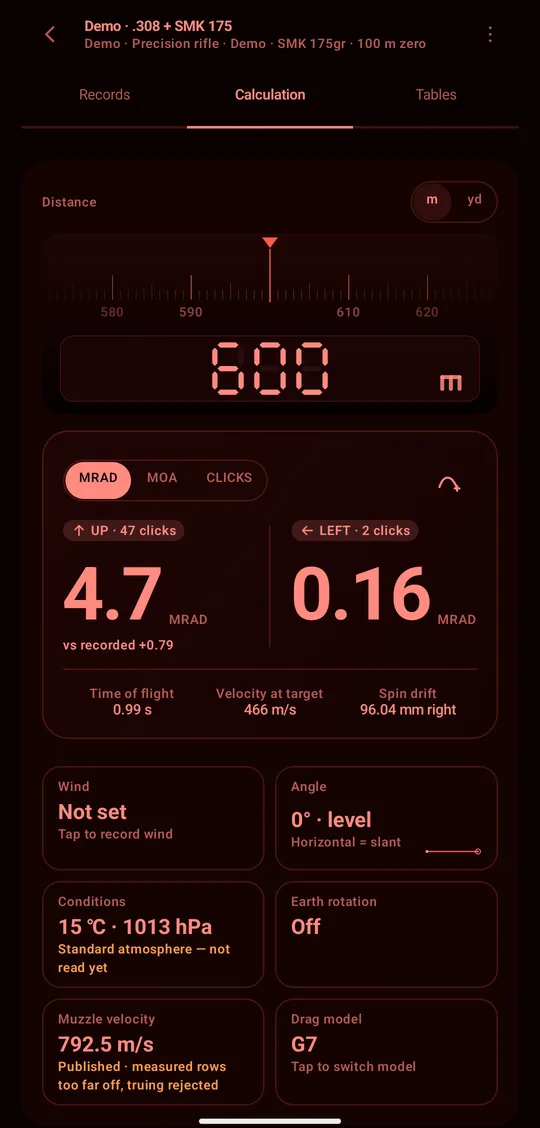
Day mode: the DOPE solver on a light ground Range mode: the DOPE solver on a dark ground Night mode: the DOPE solver in a single red hue
03 / 03

Privacy and data

Privacy

Training records, target photos, equipment parameters and DOPE data all belong to the user. Whether any of it leaves the device is decided item by item, by the user.

01

Local by default

Local first

Recording, solving and zeroing all run on the device, and the full feature set works without signing in.

02

Sync is authorised item by item

Consent

Signing in is not consent to upload. The equipment library, DOPE and training records are each asked for separately, cloud interpretation is authorised on its own, and any authorisation can be withdrawn at any time. Target photos are never synced.

03

Export and deletion

Export

The backup exports as a single zip containing local records and photos and can be restored on another device; the account and all local data can be deleted from within the app at any time. The privacy policy and terms ship with the app and are readable offline.

Appendix

Frequently asked questions

FAQ
Q.01Which units are supported?

Distance in m or yd, length in mm or in, angle in MRAD or true MOA, and readings can be given in scope clicks. Units are chosen per form; no global setting has to be changed.

Q.02Is an internet connection required?

No. Recording, solving and zeroing all run on the device. A connection is used only for cross-device sync and cloud interpretation, each of which is authorised separately in advance.

Q.03How accurate is shot-hole detection?

Detection returns candidates only; each shot must be confirmed before it counts. Low-confidence points are flagged separately for human judgement; the group can be confirmed once the shot-count reconciliation passes.

Q.04Are target photos uploaded?

No. Photos stay on the device; to move them, export a backup and keep it yourself.

Q.05Can the data be exported?

Yes. The backup is a single zip file containing the locally stored records and photos, and it can be restored on another device.

Q.06Which platforms are supported?

iOS 17.0 or later and Android 8.0 or later. Both share the same calculation rules and data model.

App Store

iOS 17.0 or later

Scan the QR code with a phone, or use the button below on this device.

Go to download